
If you hang around WordPress groups for five minutes, you will see people arguing about page builders. Half the room loves Elementor because you can drag and drop anything anywhere. The other half says it turns your website into a slow, bloated mess.
As someone still learning the ropes of web design, I got tired of guessing who was right. So I decided to run a simple test on my own.
I built the exact same local service landing page twice on a fresh WordPress install. Both versions had the same hero section, three service boxes, a testimonials area, and a basic contact form. No caching plugins, no fancy paid servers, and no CDN. Just raw performance out of the box.
The Setup: Fair and Square
To keep things fair, I used the exact same cheap shared hosting plan and the exact same compressed WebP images on both test sites. Here is how the two setups looked:
- Test Site A: Hello Elementor theme + the free Elementor plugin.
- Test Site B: A lightweight block theme (Super Theme) + the built-in WordPress Block Editor (Gutenberg).
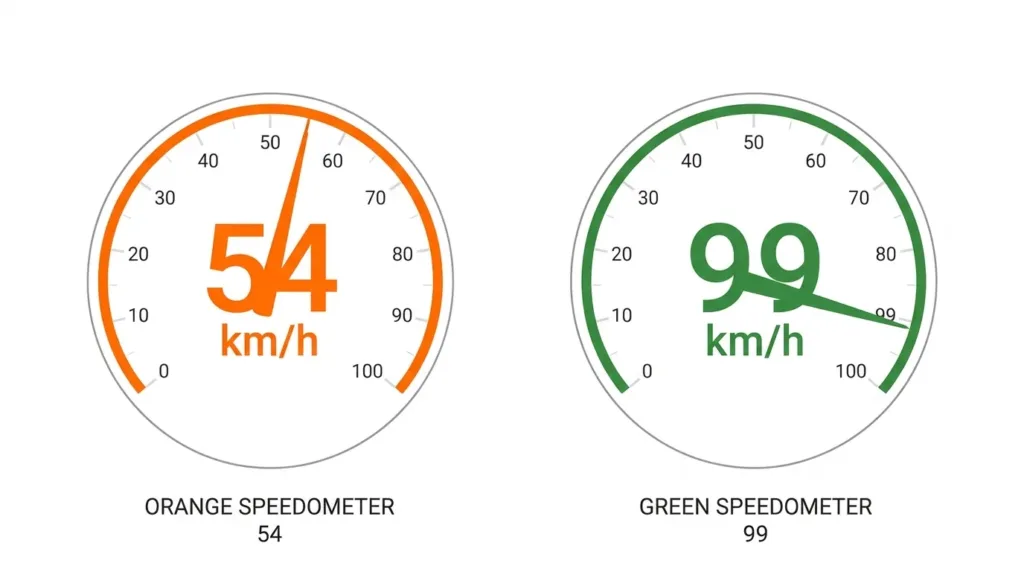
The Speed Test Results
After building both pages so they looked identical to the human eye, I ran both URLs through Google PageSpeed Insights on mobile. Honestly, the difference surprised me.
| Metric | Elementor Setup | Native Block Editor |
|---|---|---|
| Mobile Performance Score | 54 / 100 | 99 / 100 |
| Total Page Size | 1.4 MB | 310 KB |
| Total HTTP Requests | 42 requests | 11 requests |
| Largest Contentful Paint (LCP) | 4.1 seconds | 1.2 seconds |
Why Was There Such a Big Gap?
When I looked under the hood using Chrome DevTools, it made complete sense. Even though both pages looked the same on the screen, the code behind them was totally different.
- Extra CSS and JavaScript files: Elementor loaded over a dozen extra stylesheets and scripts just to render a few text boxes and buttons. The native block editor only loaded the tiny bit of CSS needed for that specific page.
- Nested HTML wrappers: Elementor wraps your content in layers and layers of extra container divs. The browser has to read through all of that code before it can paint the page on your phone screen.
- Font loading delays: By default, the page builder pulled in extra Google Font weights I did not even use, adding extra wait time before the headline appeared.
Should You Still Use Elementor in 2026?
Look, I still think Elementor is great if you want total visual freedom and do not care about tweaking code. If you are building a complex custom layout for yourself and have a fast server, you can definitely make it work.
However, if you are building websites for local businesses or trying to rank on Google, speed matters way too much to ignore. The native WordPress block editor has come a long way. Paired with a clean block theme, you get almost the same design control without dragging a heavy anchor behind your website.
Have you made the switch to block themes yet, or are you sticking with your favorite page builder? Drop your thoughts in the comments!