

Block 02: Card grid, badge style
Numbered cards for steps and services
Ten styles in one block: badge, steps, product, plain, spec, lined, stats, bar, listing and thumbs. Change the style in the block settings.
Pick a template
Choose one of 14 industry templates and apply it with one click.
Add your details
Company name, phone, email and hours fill the header, footer and schema.
Publish
Check the SEO tab, rescan once and the site is ready for visitors.
Block 03: Card grid, steps style
The same cards as a connected process
Steps style joins the cards with a line, which suits a how-it-works section.
Pick a template
Choose one of 14 industry templates and apply it with one click.
Add your details
Company name, phone, email and hours fill the header, footer and schema.
Publish
Check the SEO tab, rescan once and the site is ready for visitors.
Block 04: Card grid, stat strip
Figures that stand out
A row of numbers with short labels. A zero counts as a number, so “0 plugins” shows up exactly as written.
Plugins required
0
Niche templates
14
Colour schemes
12
AI providers
3
Block 05: Card grid, lined and accent bar
Quiet cards for longer text
Lined cards sit on a thin rule. Accent bar cards add a coloured edge. Both take a title, text and an optional link.
Page cache
Visitors who are not logged in get a stored copy of the page before WordPress renders anything.
Read about speedSEO scanner
Every page gets a score and a list of fixes, with the reason and the place to fix it.
Read about SEOBlock 06: Card grid, thumbnails
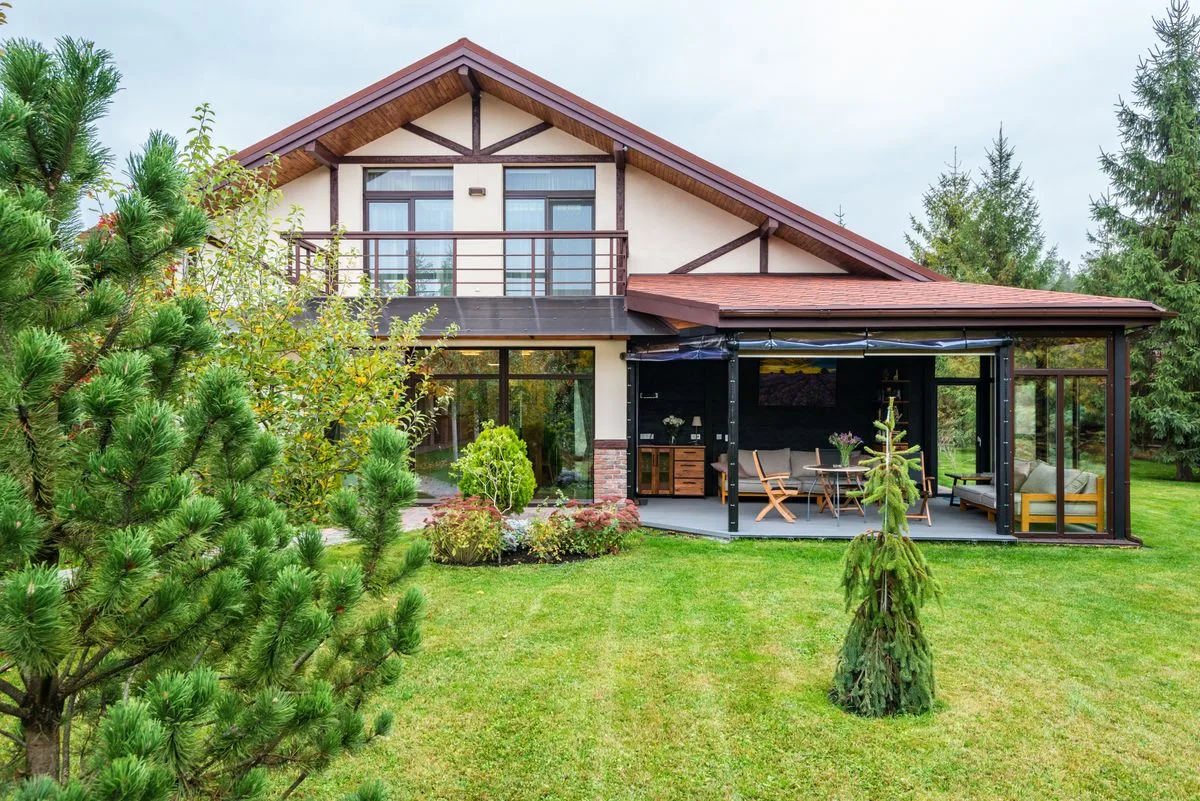
Photo cards that link somewhere
Add a picture, a title, a line of text and a link. This is how the niche template tiles on the home page are built.


 Super Theme
Block 07: Image and content
A picture beside the story
Opening hours and map coordinates from the Company tab feed the structured data, so a local business shows up properly in search.
- Hours print in the sub-footer
- The map loads only when someone clicks it
- A call button follows phone visitors
Block 08: Call-to-action band. Ready to try it on your site?
Upload the theme, apply a template and have a lead-ready site the same day.
Block 09: Checklist and boxed list
Two ways to show a list
The checklist puts a tick before each line. The boxed list turns every line into a small card, which works well for names, places or short facts.
- No plugins to install
- No third-party scripts
- Fonts served from your own site
- Page cache built in
- Lawyers
- Dental
- Real Estate
- Clinic
- Resort
- Hotels
- Salon
- Construction
- Portfolio
Block 10: FAQ with schema
Questions that also feed search results
Every answer is printed as FAQPage structured data, so the questions can appear in search as well as on the page. Groups keep long lists easy to scan.
Getting started
Do I need to install any plugins?
No. Caching, SEO, schema, forms and the chatbot are built into the theme.
Can I switch templates later?
Yes. A new template rewrites the same pages in place and never touches pages you created.
Speed and SEO
Is there a page cache?
Yes, for visitors who are not logged in. It clears itself when you change content, menus or settings.
Does it write schema for me?
Yes. One JSON-LD graph is printed on every page, and the SEO scanner checks it.
Block 11: Content and lead form, panel style
Talk to us about your site
The panel style puts the copy and the form in one card. Fields come from the Lead form tab, and every entry is saved.
- Reply within one business day
- No obligation
- Entries saved with CSV export
Send a quick message
Questions about the theme, a custom template or using it on a client site? Send a note and you will get a reply within a day.
Block 12: Content and lead form, stage style
Ask about Super Theme
The stage style adds feature chips, a stats row and a spinning badge around the form.
- No plugins to install
- No third-party scripts
- 14 niche templates included
- 0plugins to install
- 14niche templates
- 12colour schemes
- 1 daytypical reply
Send a quick message
It takes about a minute. No obligation.
Block 13: Slider
Swipeable cards without a slider plugin
Arrow buttons, swipe on phones and keyboard support. Use the cards style for features and the results style for case studies.



Block 14: Icon features with images
Features with pictures beside them
A list of icon rows next to one large photo and a smaller one that overlaps it.
Fast by design
Page cache, merged CSS and deferred scripts.
Easy to find
A scanner that scores every page and lists the fixes.
Built to convert
A lead form with saved entries and email alerts.
Answers questions
A chatbot that reads your own pages.
Block 15: Before and after slider
Drag the handle to compare two photos. It works with touch and keyboard, and it needs no library. Use it for renovations, treatments, signage and design work.


Block 16: Scrolling marquee
Three styles, one or two rows
A ticker with a separator, pill chips with icons, or big outline words. Items can carry an icon and a link, and motion stops for visitors who prefer reduced motion.
- Page cache
- SEO scanner
- Schema markup
- Form builder
- AI tools
- Site chatbot
- Page cache
- SEO scanner
- Schema markup
- Form builder
- AI tools
- Site chatbot
- Page cache
- SEO scanner
- Schema markup
- Form builder
- AI tools
- Site chatbot
- WebP optimizer
- 12 colour schemes
- AI tools
- Site chatbot
- WebP optimizer
- 12 colour schemes
- Page cache
- SEO scanner
- Schema markup
- Form builder
- Fast
- Found
- Filled
- Flexible
- Fast
- Found
- Filled
- Flexible
Block 17: Tabs
Tabs with text, buttons and a screenshot
One block per set of tabs. Each tab takes a heading, paragraphs, an optional screenshot and optional buttons. Only the open tab loads its image.
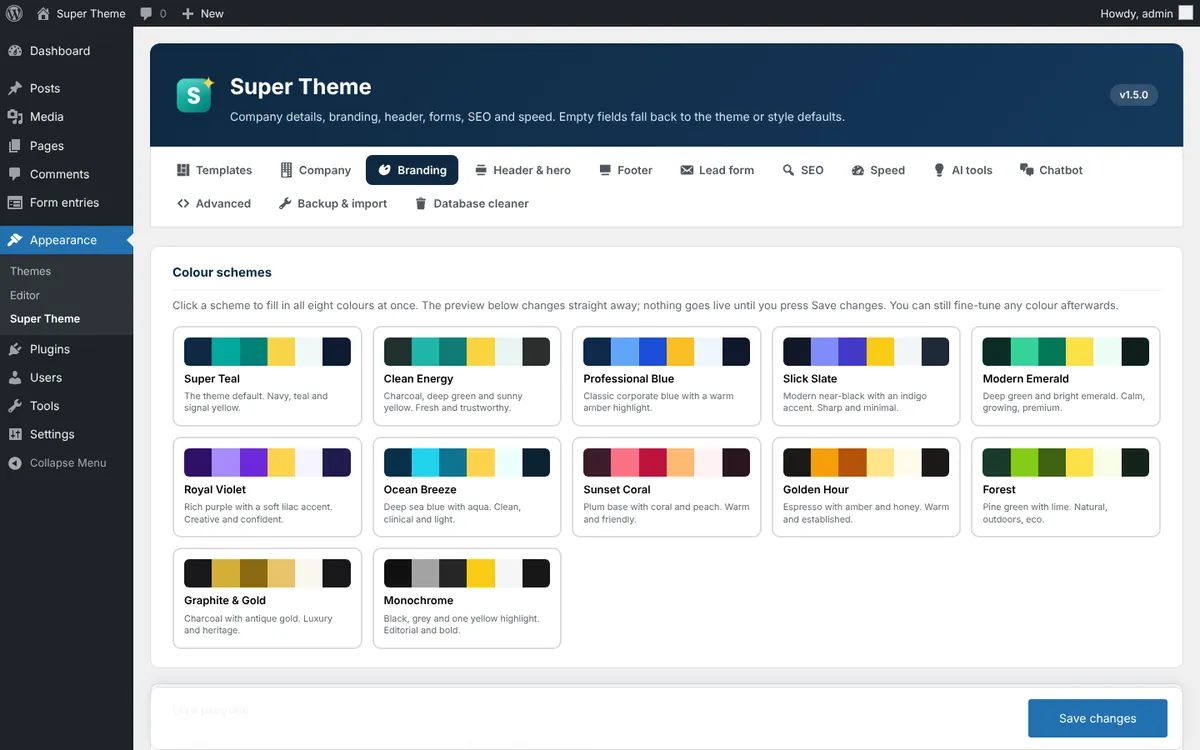
Pick a colour scheme, a font and the corner shape. The Branding tab checks button contrast for you.
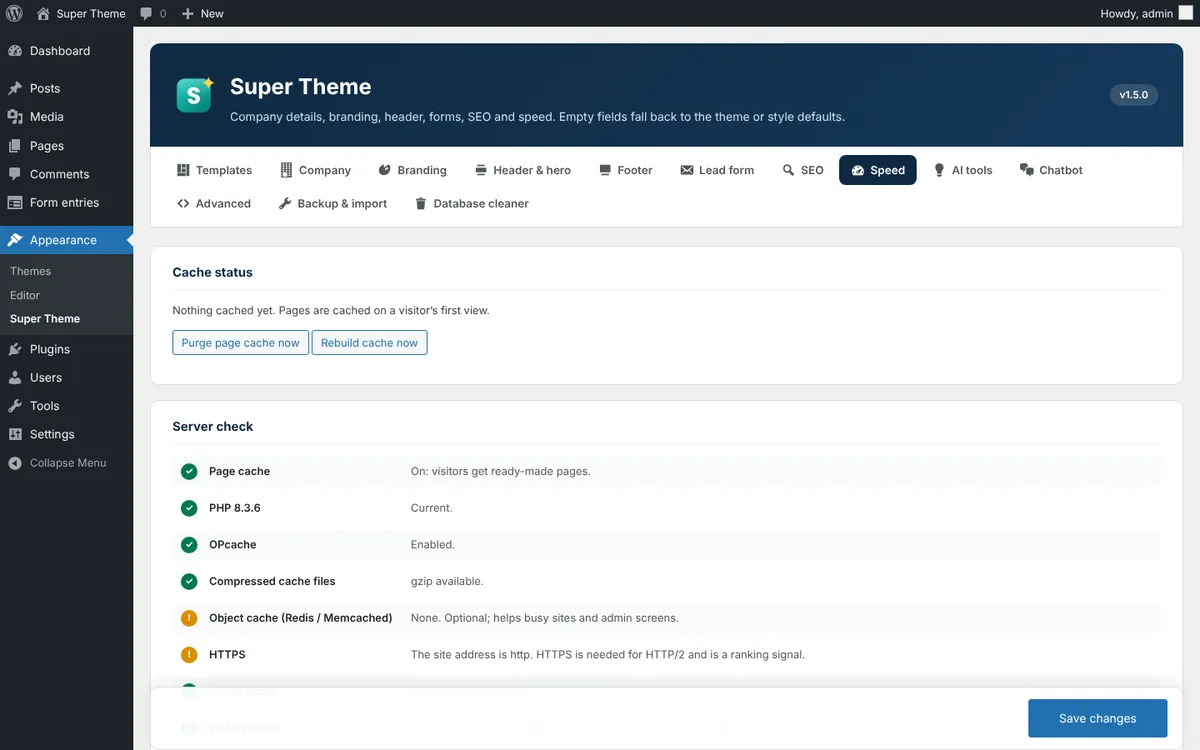
The page cache clears itself when you change content, menus or settings. The server check explains what your host could do better.
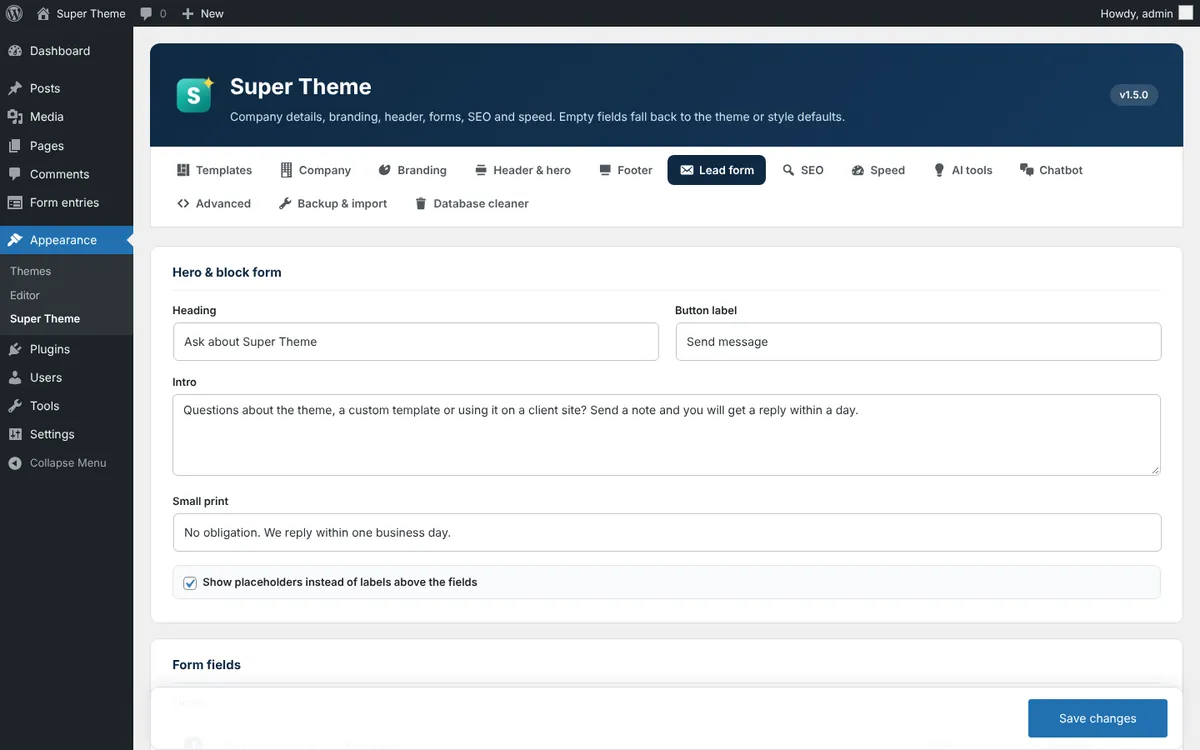
Add, remove and reorder the fields of the hero form. Every submission is saved under Form entries.
Block 18: Icon list
Four ways to list things with icons
Aside puts a heading and a note beside the list. Arrows suit steps. Grid makes icon tiles. Plain keeps it quiet.
Block 19: Flow strip
A process in one line
Icons joined by arrows. It collapses neatly on phones.
- Pick a template
- Add your details
- Scan for SEO
- Publish
Block 20: 3D hero
Motion without a library
Four animated styles built from plain CSS: devices, cube, orbit and layers. No script libraries and no video files.
Block 21: Live demo
An interactive tour inside the page
Five panels that run in the visitor’s browser: niche templates, colour schemes, an SEO scan of the page itself, a form builder and real page speed. This copy shows two of them.
Pick a niche
Every niche template ships with its own colours, fonts, corners and ready-to-edit copy. Click one and watch the preview change.
Build a form
Add fields and the form updates straight away. In the theme you also choose labels, required fields and where entries are emailed.
A better way to get the job done
Clear advice, fair prices and friendly people who answer the phone. Tell us what you need and we will take it from there.
- Free, no-obligation quote
- Fast, friendly replies
- Fixed, written pricing
Generic preview. Fonts, colours, corners and copy all change with the niche.
Thanks, that is exactly how it works. On a real site the entry is saved in Form Entries and emailed to you.
- –Page load
- –Server response
- –Requests
- –Transferred
- –Third-party requests
- –Script files
Measuring…
Block 22: Form builder
Build any form from fields
Text, email, phone, number, date, message box, dropdown, radio buttons and checkboxes, with required fields, widths and help text. Entries are saved and can be emailed to any address.
Request a callback
Tell us a little about your site and we will get back to you.
Block 23: Blog posts
Your latest articles as cards
Pick how many to show, how many columns and whether to paginate. Each card links to the full post.
Elementor vs. Native WordPress Block Editor in 2026: The Real-World Speed Test
Everyone argues about whether Elementor slows down WordPress sites. Instead of guessing, I built the exact same landing page using both Elementor and the native WordPress…
Read the article Elementor vs. Native WordPress Block Editor in 2026: The Real-World Speed Test
Why Your WordPress Site Scores 50 on PageSpeed (And How to Fix It)
Staring at a red 50/100 PageSpeed score? Find out why heavy plugins and bloated page builders are dragging your WordPress site down—and how to fix it…
Read the article Why Your WordPress Site Scores 50 on PageSpeed (And How to Fix It)Why Super Theme ships with no plugins
Every plugin is one more thing to update, test and keep secure. Here is why the basics live inside the theme instead.
Read the article Why Super Theme ships with no plugins